

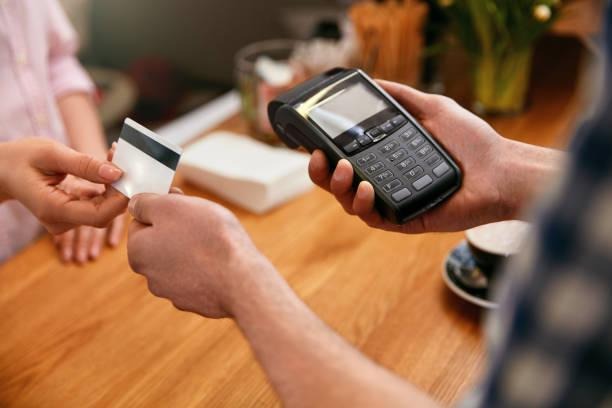
NFC has a branding problem. For most people it means one of two things: paying with a phone, or the tap-to-share business card they saw at a conference. Both are real, both are small, and both obscure a much broader point — NFC is a cheap way to attach a digital action to a physical object, and almost every business has physical objects.
A tag costs pence. It needs no power, no battery replacement and no maintenance. It sits inside a menu, under a shelf edge, behind a plaque or on a window, and it converts a moment of physical proximity into a digital interaction with no app to download and no code to scan.
This is a practical roundup of thirty deployments across retail, hospitality and real estate — what each one does, what it replaces, and where implementations typically go wrong. Not all thirty are worth doing. The last section covers how to tell the difference.
Before the list: what makes an NFC deployment work
Three properties separate deployments that generate value from those that become expensive stickers. The tap must save a step, not add one. If a customer could achieve the same outcome faster by opening an app they already have, the tag will be ignored. NFC wins where the alternative is typing a URL, downloading something, queueing or asking a member of staff.
The destination must be redirect-controlled. Never write a final URL directly onto a tag. Write a short link on a domain you control that redirects, so the destination can be changed without touching thousands of physical objects. Teams that skip this discover the cost the first time a campaign ends.
The tag must be locked, and the fallback must exist. A writable tag in a public place is a phishing vector. And a printed QR code alongside the NFC symbol costs nothing and covers the recipients whose device or habits make tapping awkward.
| Design principle | Why it matters | Cost of ignoring it |
| Save a step | Determines adoption | Tags ignored entirely |
| Redirect indirection | Destinations change | Full physical replacement |
| Locked tags | Tamper prevention | Phishing on your premises |
| QR fallback | Coverage | Excluded users, lower scan rate |
| Clear call to action | People need instruction | Tags invisible to customers |
| Measurement from day one | Proves or kills the idea | Unfalsifiable projects |
Retail: 10 use cases
1. Shelf-edge product information. A tag on the shelf strip opens full specifications, ingredients, sizing guidance, or comparison tables. Replaces cramped packaging text and staff interruptions. Works best for considered purchases — electronics, appliances, technical clothing.
2. Fitting room assistance. A tag inside the cubicle opens a page to request a different size or colour, routed to the shop floor. Removes the half-dressed door-opening problem that quietly kills conversion.
3. Anti-counterfeit authentication. Tags with per-tap cryptographic verification let a customer confirm an item is genuine. This is one of the few retail cases that genuinely requires an encrypted chip rather than a plain tag.
4. Product provenance and sustainability. Tap a garment label for material sourcing, factory information, and care instructions. Increasingly relevant as digital product passport regulation advances in the EU.
5. Instant reorder on consumables. A tag on a coffee tin, filter or refill pack that opens a pre-filled basket. Removes the search step that loses repeat purchases to competitors.
6. Loyalty enrolment. A tag at the till opens a one-field signup instead of a verbal exchange of email addresses at the counter with a queue behind.
7. Window shopping after hours. A tag on the shop window opens the product page or a click-and-collect basket for the displayed item. Converts closed-hours footfall that currently generates nothing.
8. Staff-facing stock checks. Tags on stockroom locations or fixtures open the right inventory view instantly, cutting the navigation time that makes staff avoid the system.
9. Warranty and registration. Tap the product or its box to register a warranty without typing a serial number. Improves registration rates dramatically, which improves your ability to contact owners later.
10. Returns initiation. A tag on the packing slip or box opens a pre-filled returns flow with the order already identified.
| Retail use case | Replaces | Chip type | Difficulty |
| Shelf-edge information | Packaging text, staff queries | Standard NDEF | Low |
| Fitting room assistance | Opening the door and waving | Standard NDEF | Low |
| Authentication | Hologram stickers | Tap-authenticating chip | High |
| Provenance | Care labels, leaflets | Standard NDEF | Medium |
| Instant reorder | Search and rebuild basket | Standard NDEF | Low |
| Loyalty enrolment | Verbal signup at till | Standard NDEF | Low |
| Window shopping | Nothing — lost footfall | Standard NDEF | Low |
| Staff stock checks | Manual system navigation | Standard NDEF | Medium |
| Warranty registration | Typing serial numbers | Standard or authenticating | Medium |
| Returns initiation | Finding the order online | Standard NDEF | Low |
Hospitality: 10 use cases
11. Table ordering and menus. The obvious one, and it earned its reputation during the pandemic when printed menus became a liability. A tag embedded in the table or menu holder opens the current menu — updated centrally when a dish sells out, with no reprint.
12. Table-side payment and tipping. Tap to open a bill and pay without waiting for a card machine. Reduces the single most common source of end-of-meal friction and measurably improves table turnover at peak.
13. Review prompts at the right moment. A tag on the receipt holder or at the exit, opening your review destination while the experience is fresh. Timing matters more than the ask.
14. Hotel room information. Replaces the leather compendium nobody opens. Wi-Fi details, checkout time, room service, local recommendations, all editable from a dashboard rather than reprinted per season.
15. Digital room keys. Genuine access control, requiring encrypted credentials rather than plain tags. Widely deployed in hotel chains, increasingly issued straight to phone wallets.
16. Housekeeping status. Staff tap a tag on the door frame to mark a room serviced, timestamped and location-verified without a handheld device or a paper sheet.
17. Event and conference check-in. Tap a badge to register attendance at a session, capture CPD credits or trigger a follow-up email. Far faster than scanning a queue of QR codes at a door.
18. Bar and venue drink pre-order. A tag at the table opens a pre-order flow so drinks are ready at collection, reducing bar crush at intervals.
19. Feedback at the point of failure. A tag in a bathroom or on a facility opens a two-tap condition report. Cheap, and it catches problems before they reach a public review.
20. Wine list and pairing detail. A tag on the bottle or the list opens tasting notes, region information and pairing suggestions — depth that no printed list can carry.
| Hospitality use case | Primary benefit | Replaces | Chip type |
| Table menus | Always current, no reprint | Printed menus | Standard NDEF |
| Table-side payment | Faster turnover | Waiting for card machine | Standard NDEF |
| Review prompts | Volume and timing | Verbal ask | Standard NDEF |
| Room information | Editable, always current | Printed compendium | Standard NDEF |
| Digital room keys | Security, no plastic keys | Magstripe/RFID cards | Encrypted credential |
| Housekeeping status | Verified, real-time | Paper sheets | Standard NDEF |
| Event check-in | Throughput | QR scanning queue | Standard or encoded badge |
| Drink pre-order | Reduced queueing | Bar queue | Standard NDEF |
| Facility feedback | Early problem detection | Nothing, or complaints | Standard NDEF |
| Wine and pairing notes | Upsell, expertise | Printed list | Standard NDEF |
Real estate: 10 use cases
21. For-sale board self-service. A tag on the board or in the window opens the full listing — floor plans, gallery, EPC, viewing calendar — for passers-by outside office hours. This is the highest-value single deployment in the sector and the least implemented.
22. Viewing sign-in and lead capture. A tag at the door of an open house captures attendees’ details as they arrive, replacing the clipboard that results in illegible names and no follow-up.
23. In-property room information. Tags in each room during a viewing, opening dimensions, materials, upgrade history and what is included in the sale. Answers questions when the agent is elsewhere in the building.
24. Show home specification. In new-build developments, a tag next to each fixture opens the specification and upgrade options, including pricing. Converts admiration into a priced choice.
25. Tenant maintenance requests. A tag in the utility cupboard or hallway of a rental opens a pre-identified maintenance form. The property is already known, which removes the most error-prone field in the process.
26. Appliance manuals and servicing. A tag on the boiler, oven or heat pump opens the manual, the service history and the contractor contact. Solves the perpetual problem of lost documentation between tenancies.
27. Key handover and inventory. Tap to open the signed inventory, meter readings and condition report at check-in and check-out.
28. Building access and intercom. Encrypted NFC credentials for residents and contractors, with time-limited access grants — replacing the master key that cannot be revoked.
29. Communal facility booking. A tag by the gym, meeting room or laundry that opens the booking calendar in place. People book what is in front of them.
30. Site safety and induction. On development sites, tags at entry points open the current induction, method statements and permit status, with a record of who accessed what and when.
| Real estate use case | Audience | Benefit | Chip type |
| For-sale board | Passers-by | Out-of-hours conversion | Standard NDEF |
| Viewing sign-in | Attendees | Clean lead capture | Standard NDEF |
| Room information | Viewers | Answers without the agent | Standard NDEF |
| Show home spec | Buyers | Priced upgrade decisions | Standard NDEF |
| Maintenance requests | Tenants | Pre-identified property | Standard NDEF |
| Appliance manuals | Tenants, contractors | Documentation never lost | Standard NDEF |
| Inventory handover | Both parties | Dispute reduction | Standard NDEF |
| Building access | Residents, contractors | Revocable credentials | Encrypted credential |
| Facility booking | Residents | Booking at point of intent | Standard NDEF |
| Site induction | Contractors | Compliance record | Standard or encoded badge |
Choosing which of the thirty to actually do
Thirty ideas is not a roadmap. Most organisations should deploy one, prove it, and then extend.
Score each candidate on four dimensions. How often does the moment occur? How painful is the current alternative? How measurable is the outcome? How much does the destination need to change over time? High frequency, high pain, clearly measurable and centrally editable is where you start.
Two patterns tend to score highest across all three sectors. The first is anything that removes a queue — payment, ordering, check-in, sign-in. The second is anything that replaces printed material that goes out of date, because the saving recurs forever and the benefit compounds with every change.
Two patterns tend to score lowest. Novelty deployments with no measurable outcome, and anything that duplicates a function customers already perform comfortably in an app they have open.
| Scoring dimension | High score looks like | Low score looks like |
| Frequency | Every customer, every visit | Occasional, seasonal |
| Pain of alternative | Queue, typing, staff time | Already one tap away |
| Measurability | Taps, conversions, time saved | “Brand experience” |
| Change rate of destination | Menu, pricing, listings | Static forever |
| Implementation cost | Tags plus a page | Bespoke app integration |
| Regulatory exposure | None | Personal data capture |
Implementation notes that save money
A few decisions made early determine whether a rollout scales or stalls.
Choose the tag to suit the surface. Metal shelving, appliances and stone counters detune standard tags; you need on-metal variants with a ferrite layer. Testing one tag on the actual surface before ordering thousands prevents the most common and most expensive failure.
Plan for the environment. Outdoor boards need weatherproof encapsulation. Tables need adhesive that survives cleaning chemicals. Hotel doors need something that tolerates repeated impact.
Use one redirect service across every deployment. Per-tag analytics only work if every tag routes through the same layer, and destination changes should be a dashboard edit rather than a project.
Instruct the user. Tags do not announce themselves. A printed instruction beside the symbol substantially increases tap rate, particularly with first-time users.
Handle data lawfully. Any deployment that captures personal details — viewing sign-in, loyalty enrolment, lead capture — brings UK GDPR obligations. Decide the lawful basis and the retention period before the first tag goes live, not after the first complaint.
Measure a baseline first. Record the current conversion, queue time or completion rate for two weeks before deployment. Without a baseline you cannot prove the tags did anything, and unprovable projects get cancelled.
| Decision | Right call | Common mistake |
| Tag type for metal surfaces | On-metal with ferrite | Standard tag that never reads |
| Destination encoding | Redirect on your domain | Hard-coded final URL |
| Locking | Locked before dispatch | Left writable |
| Fallback | Printed QR alongside | NFC only |
| Analytics | Single redirect layer | Mixed services, no aggregate view |
| Instruction | Visible call to action | Bare NFC symbol |
| Rollout | Pilot one site, then scale | Estate-wide launch on day one |
What the business card case teaches the other thirty
It is worth returning briefly to the use case everyone already knows, because it demonstrates the pattern that makes the other thirty work — or fail.
An NFC business card succeeds not because tapping is impressive, but because it removes a step at a moment of friction, points at a destination the owner can change, and carries no secret worth stealing so it needs no complex security. Every strong deployment in this article has the same three properties. Every weak one breaks at least one of them.
Consider the failure modes side by side. A menu tag hard-coded to a PDF that changes weekly breaks the redirect rule and becomes a liability. A loyalty tag that opens a twelve-field signup form breaks the save-a-step rule and gets ignored at the till. An access tag using a plain NDEF chip breaks the security rule and creates a genuine risk rather than an inconvenience.
| Property | Business card | Applies to the other 30? |
| Removes a step | Types nothing, opens instantly | Yes — the core test |
| Destination is editable | Repoint without reprinting | Yes — the redirect rule |
| Payload is public | Nothing to steal | Only for public-facing tags |
| Physical object already exists | You were handing something over anyway | Menus, boards, shelves, doors |
| Works with no app | Native OS support | Yes, universally |
| Measurable | Taps and captures | Yes, if routed through one layer |
The other lesson is about ownership. The organisations that get value from NFC treat the redirect layer as infrastructure rather than a per-campaign purchase. One controlled domain, one analytics view, one place to change destinations. Teams that scatter tags across three shortening services and a marketing agency’s platform lose the ability to answer basic questions within a year.
We built our own NFC cards on exactly that principle — locked tags, a redirect on a controlled domain, instant repointing from a dashboard — because the physical object is the trivial part and the layer behind it is what determines whether a programme survives contact with reality. If you are evaluating NFC cards for a wider deployment, judge the platform before you judge the card, and ask Evrycard or any other supplier how destinations are changed after installation.
Rollout sequencing for multi-site operators
Chains and portfolios have a different problem from single sites: consistency across locations that do not behave identically.
Pilot in the least convenient site, not the best one. A deployment that works in your flagship with engaged staff will not necessarily survive a busy franchise. Testing in the difficult location surfaces the practical problems while the order quantity is still small.
Standardise the tag specification centrally and the content locally. Head office should own the tag type, the encoding format and the redirect domain. Individual sites should be able to change their own menu, their own availability and their own contact routing without a central ticket, or they will stop using the system.
| Stage | Duration | Success criterion |
| Baseline measurement | 2 weeks | Current conversion or time recorded |
| Single-site pilot | 4-6 weeks | Tap rate and outcome beat baseline |
| Specification lock | 1 week | Tag type, encoding, domain fixed |
| Regional rollout | 4-8 weeks | Consistent performance across sites |
| Full deployment | Ongoing | Central dashboard, local content control |
Frequently asked questions
Do customers need an app to use NFC tags?
No. Both iPhone and Android read standard NFC tags natively and open the link in the browser. That is the central advantage over app-based approaches — there is nothing to install.
Do all modern phones support this?
Every iPhone from the XR onwards reads tags in the background with no user action, and earlier models from the 7 onwards can read them via the Control Centre. The overwhelming majority of Android phones sold in the last decade support NFC. A minority of budget Android devices omit it, which is why a QR fallback is standard practice.
How much do the tags cost?
Standard NDEF tags are typically a few pence each in volume, with on-metal, weatherproof and encapsulated variants costing more. The tag is rarely the meaningful cost — the destination page and the process behind it are.
Can I change what a tag points to after installation?
Only if you encoded a redirect you control. This is the single most important implementation decision in the entire list, and the one most often got wrong.
Are NFC tags secure enough for room keys and building access?
Standard NDEF tags absolutely are not — they are for public links. Access control needs chips with mutual authentication such as the DESFire family, or credentials issued to a phone wallet. Do not conflate the two categories.
Do NFC tags work through a phone case?
Almost always, unless the case contains metal or a magnetic mount plate. Thick cases can reduce range but rarely block it entirely.
What is the realistic tap rate on a public tag?
It depends almost entirely on the instruction beside it and whether the tap saves the user real effort. A tag with a clear call to action at a moment of genuine friction performs many times better than an unlabelled symbol, which is often close to zero.
How do NFC and QR compare for these use cases?
Deploy both. NFC is faster and works in low light or awkward angles; QR works on any camera and can be printed on anything. The meaningful difference for a business is tamper resistance — a locked tag cannot be edited, whereas a printed QR can be covered with a sticker.
Which use case should a small business start with?
Whichever one removes a queue or replaces something you currently reprint. For a restaurant that is usually menus or table payment; for a shop, loyalty enrolment or window shopping; for an agency, the for-sale board.
Can these tags track individual customers?
The tag cannot — it has no power, no memory of who tapped it and no radio of its own. The page it opens can use normal web analytics, subject to the same consent rules as any website.
The bottom line
NFC’s value has almost nothing to do with the technology being impressive. It is that a passive tag costing pence can attach a current, editable digital action to a physical object that a customer is already standing next to.
Pick the moment in your business where someone is physically present, mildly frustrated, and one step away from an outcome you want. Put a tag there, point it at a redirect you control, measure it for a month, and extend only what works. That single discipline separates the deployments that pay for themselves in weeks from the ones that end up as stickers nobody taps.